

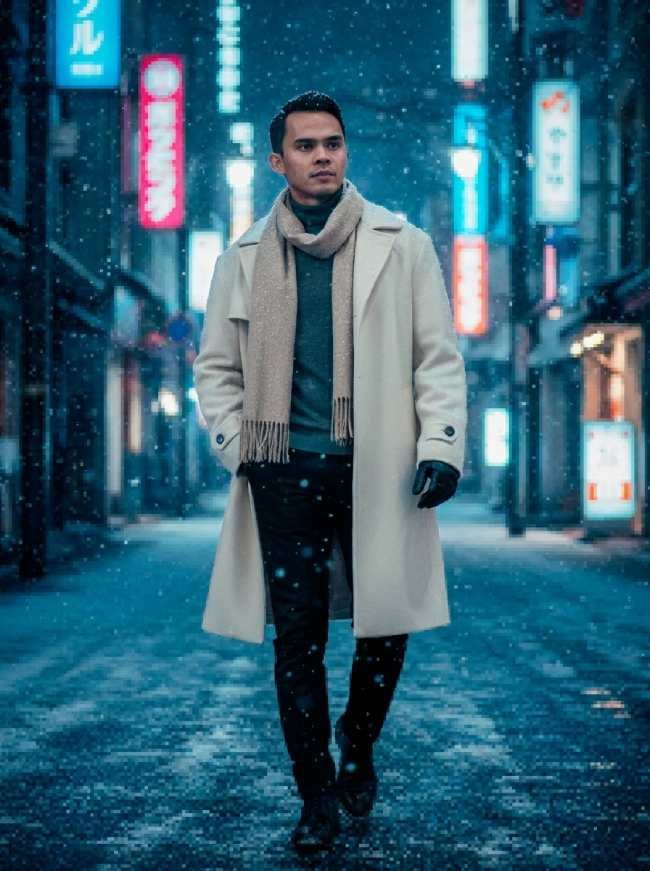
# RETRO PIXEL WORLD – PHOTOREALISTIC SUBJECT EDITION

\============ PART A: INPUT (EDIT THIS ONLY) ============

[RATIO:  4:5 ]

[SUBJECT_MODE: person / two or more people / product / person with product]

[BACKGROUND_PIXEL_STYLE: classic 8-bit / detailed 16-bit]

[PIXEL_SIZE: large / medium / fine]

[PALETTE: original photo colors / classic retro game palette / pastel pixel palette]

[DITHERING: yes / no]

[BACKGROUND_DETAIL: preserve all original elements / simplify slightly]

[BACKGROUND_DEPTH: subtle / medium / dramatic]

[SUBJECT_EDGE: natural photographic edges / subtle pixel-world integration]

[TITLE_SCRIPT: maximum 3 words / none]

[TITLE_BOLD: maximum 1 word / none]

[GLOW_COLOR: cyan / pink / yellow]

PHOTO TO ATTACH: SOURCE_PHOTO.

Use one clear, sharp source image. The main subject should be fully visible whenever possible.

\============ PART B: STYLE (DO NOT CHANGE) ============

## TASK

Transform SOURCE_PHOTO into a unique hybrid visual artwork combining:

1. A completely photorealistic original main subject.
2. A beautifully rendered retro 8-bit or 16-bit pixel-art environment.

CRITICAL RULE:

ONLY THE BACKGROUND MUST BE CONVERTED INTO PIXEL ART.

THE MAIN SUBJECT MUST REMAIN PHOTOREALISTIC AND MUST NOT BE PIXELATED.

The final image should look like a real photograph of a person or product placed inside a classic retro video game world.

## STEP 0: SOURCE IMAGE

If no photo is attached, stop and ask for the original photo.

Never invent, replace, or generate a different main subject.

## STEP 1: ABSOLUTE SUBJECT LOCK

The original main subject is the highest priority.

Preserve the original subject exactly as it appears in SOURCE_PHOTO.

### For people:

- Preserve original facial identity and facial structure.
- Preserve eyes, nose, mouth, skin texture, and natural facial details.
- Preserve hairstyle, hair color, skin tone, and expression.
- Preserve body proportions, pose, hands, and gestures.
- Preserve original clothing, accessories, jewelry, and visible details.
- Maintain realistic skin texture and natural photographic lighting.
- Do not beautify, reshape, stylize, cartoonize, or pixelate the person.

### For products:

- Preserve exact product shape, dimensions, colors, materials, and proportions.
- Preserve original labels, printed text, logos, buttons, and product details.
- Do not redesign or reinterpret the product.
- Maintain realistic product photography, reflections, shadows, and textures.

### SUBJECT RENDERING:

- 100% photorealistic appearance.
- Original photographic textures.
- Sharp and natural details.
- Realistic lighting and shadows.
- No pixel-art filters.
- No 8-bit or 16-bit effects on the subject.
- No cartoon, anime, illustration, or 3D transformation.

## STEP 2: BACKGROUND PIXEL ART TRANSFORMATION

Convert ONLY the original background into a classic retro video game environment.

Transform background elements such as:

- Buildings and architecture.
- Streets, sidewalks, and roads.
- Trees, plants, and surrounding nature.
- Sky, clouds, and sunlight.
- Vehicles and environmental objects.
- Walls, floors, furniture, and decorations.

Apply the selected pixel style:

8-BIT:

- Large, visible square pixels.
- Classic arcade game aesthetics.
- Limited color palette.
- Simple geometric environmental details.

16-BIT:

- More detailed pixel clusters.
- Richer color variations.
- Sophisticated retro game environments.
- Detaile
Salin prompt di atas.
Buka ChatGPT. Kalau punya foto produk atau foto model, lampirkan dulu.
Ganti bagian yang berwarna kuning dengan data usahamu, lalu kirim.
Pilih rasio 4:5 saat membuat gambar agar hasilnya sesuai.