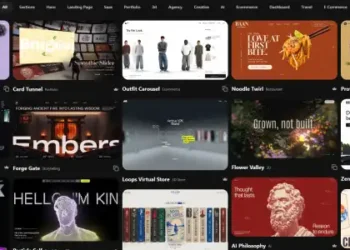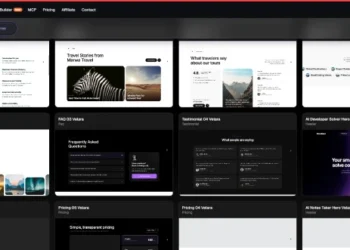


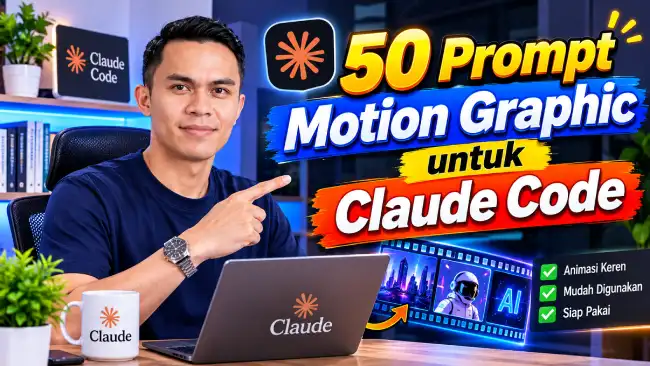
hazdo.web.id – Perkembangan teknologi Artificial Intelligence (AI) telah mengubah cara seseorang membuat desain visual dan animasi digital. Salah satu teknologi yang semakin menarik perhatian adalah Claude Code.
Dengan bantuan Claude Code, pengguna dapat membuat berbagai jenis motion graphic melalui kode pemrograman. Mulai dari animasi typography, efek visual cinematic, animasi logo, transisi modern, hingga visualisasi 3D yang menarik.
Namun, untuk menghasilkan motion graphic berkualitas profesional, dibutuhkan instruksi atau prompt yang jelas dan terstruktur.
Artikel ini membahas 50 prompt motion graphic untuk Claude Code yang bisa digunakan untuk membuat berbagai efek animasi profesional. Setiap prompt dilengkapi dengan contoh penggunaan agar lebih mudah dipahami dan langsung diterapkan.
Apa Itu Motion Graphic di Claude Code?
Motion graphic adalah teknik menggabungkan elemen desain grafis dengan gerakan animasi untuk menghasilkan visual yang dinamis.
Contohnya meliputi:
- Animasi teks bergerak.
- Logo animation.
- Kinetic typography.
- Animasi 3D.
- Efek partikel.
- Visualisasi data.
- Animasi UI dan website.
- Opening video cinematic.
- Transisi video profesional.
Claude Code dapat membantu membangun animasi tersebut menggunakan teknologi seperti HTML, CSS, JavaScript, GSAP, Three.js, SVG, dan Remotion.
Hasil akhirnya bergantung pada teknologi yang digunakan. Misalnya, animasi berbasis web dapat dijalankan di browser, sedangkan proyek Remotion dapat dikembangkan menjadi video yang bisa dirender.
Cara Menggunakan Prompt Motion Graphic di Claude Code
Sebelum menggunakan 50 prompt berikut, pastikan Claude Code sudah terpasang dan proyek sudah dibuka.
Langkah penggunaannya:
- Buka folder proyek melalui Claude Code.
- Pilih salah satu prompt dari artikel ini.
- Salin prompt secara lengkap.
- Tempelkan ke Claude Code.
- Biarkan Claude Code memeriksa struktur proyek dan membuat kode.
- Jalankan proyek untuk melihat hasil animasi.
- Lakukan revisi jika diperlukan.
Tips: Jangan hanya meminta Claude Code membuat animasi. Sertakan juga durasi, warna, ukuran layar, gaya visual, efek gerakan, easing, dan format output agar hasilnya lebih maksimal.
A. Prompt Motion Graphic Typography
Kategori pertama berfokus pada animasi teks. Jenis animasi ini sangat cocok untuk intro video, konten media sosial, presentasi, iklan, dan branding.
1. Kinetic Typography Animation
Fungsi: Membuat teks bergerak secara dinamis dengan efek profesional.
Prompt Claude Code:
Create a professional kinetic typography motion graphic using HTML, CSS, and GSAP.

Animation requirements:
- Full HD 1920x1080 composition.
- Dark cinematic background.
- Large bold typography in the center.
- Animate each word individually.
- Use smooth scale, opacity, rotation, and position transitions.
- Add staggered animation timing.
- Use modern easing curves.
- Animation duration: 8 seconds.
- Make the animation responsive.
- Include a replay button.
- Organize the code into reusable components.
- Ensure the animation runs smoothly at 60 FPS.

Create a visually impressive result suitable for professional social media content.
Contoh hasil yang diinginkan:
Teks “CREATE YOUR FUTURE” muncul satu per satu dari berbagai arah. Kata CREATE membesar dari tengah, YOUR bergerak dari bawah, dan FUTURE muncul dengan efek zoom cinematic.
2. 3D Text Animation
Fungsi: Membuat teks terlihat seperti objek tiga dimensi.
Prompt Claude Code:
Build a premium 3D typography motion graphic using Three.js.

Requirements:
- Create extruded 3D text.
- Use metallic silver material.
- Add realistic reflections and lighting.
- Create a dark studio environment.
- Animate the text with smooth rotation.
- Add subtle camera movement.
- Use cinematic lighting.
- Add glow and depth effects.
- Make the animation loop seamlessly.
- Optimize rendering performance.

The final result should look like a premium movie title sequence.
Contoh: Tulisan “FUTURE TECHNOLOGY” muncul sebagai teks 3D berwarna silver dengan pencahayaan biru dan kamera yang bergerak mengelilinginya.
3. Glitch Typography Animation
Fungsi: Membuat animasi teks dengan efek digital glitch.
Prompt Claude Code:
Create a futuristic glitch typography animation.

Requirements:
- Use HTML, CSS, and GSAP.
- Display large bold text.
- Add RGB split effects.
- Add horizontal glitch distortion.
- Create random digital flickering.
- Use cyan, red, and white colors.
- Add scanline overlays.
- Animate text distortion in short bursts.
- Use a dark background.
- Create a seamless 6-second loop.

Make the result look like a futuristic cyberpunk title animation.
Contoh: Tulisan “SYSTEM ERROR” muncul dengan efek merah dan cyan yang terpisah, kemudian mengalami distorsi digital sebelum kembali normal.
4. Neon Text Animation
Fungsi: Membuat teks bercahaya seperti lampu neon.
Prompt Claude Code:
Create a premium neon typography animation using CSS and GSAP.

Requirements:
- Black background.
- Neon pink and electric blue typography.
- Simulate realistic neon tube lighting.
- Add glowing text shadows.
- Animate the neon light turning on and off.
- Add subtle flickering.
- Use smooth fade-in and scale animations.
- Include background light reflections.
- Create a 10-second animation loop.

The result should look like a professional neon sign advertisement.
Contoh: Tulisan “NIGHT CITY” menyala secara bertahap seperti lampu neon di sebuah kota futuristik.
5. Liquid Typography Animation
Fungsi: Membuat teks dengan efek cair dan meleleh.
Prompt Claude Code:
Build a liquid typography motion graphic.

Requirements:
- Use SVG filters and CSS animations.
- Create fluid distortion effects.
- Animate letters with organic movement.
- Add liquid melting transitions.
- Use gradient colors.
- Smoothly morph between text states.
- Keep text readable.
- Create a modern artistic composition.
- Include replay functionality.

Make the result suitable for creative advertising and modern brand campaigns.
Contoh: Tulisan “CREATIVE STUDIO” berubah bentuk seperti cairan berwarna ungu dan biru, kemudian kembali menjadi bentuk teks normal.
6. Text Reveal Animation
Fungsi: Menampilkan teks dengan efek kemunculan yang elegan.
Prompt Claude Code:
Create a cinematic text reveal animation using GSAP.

Requirements:
- Reveal text using animated masks.
- Use smooth clipping transitions.
- Add staggered letter animation.
- Use elegant typography.
- Add subtle blur-to-focus effects.
- Create a premium black and gold color palette.
- Animate the subtitle after the main title.
- Use professional easing.
- Duration: 7 seconds.

The result should look like a luxury brand presentation.
Contoh: Tulisan “THE ART OF DESIGN” muncul perlahan dari balik garis emas dengan efek blur yang berubah menjadi tajam.
7. Typewriter Animation
Fungsi: Membuat teks muncul seperti sedang diketik.
Prompt Claude Code:
Create a modern typewriter motion graphic.

Requirements:
- Animate characters one by one.
- Add a blinking cursor.
- Support multiple text sentences.
- Include typing and deleting effects.
- Use smooth timing.
- Add a minimal background.
- Support custom fonts and colors.
- Allow adjustable typing speed.
- Include a restart button.

Make the design suitable for educational videos and storytelling content.
Contoh: Kalimat “WELCOME TO THE FUTURE” muncul karakter demi karakter dengan kursor berkedip.
8. Vertical Typography Animation
Fungsi: Membuat animasi teks vertikal untuk konten media sosial.
Prompt Claude Code:
Create a vertical kinetic typography animation for social media.

Requirements:
- Canvas size: 1080x1920.
- Use bold modern fonts.
- Animate text vertically.
- Add smooth transitions.
- Use dynamic scaling.
- Add background gradients.
- Include animated decorative shapes.
- Keep important text inside safe zones.
- Duration: 10 seconds.

Make it suitable for Instagram Reels, TikTok, and YouTube Shorts.
Contoh: Teks “NEVER STOP LEARNING” bergerak dari bawah ke atas dengan background gradient ungu.
B. Prompt Logo Motion Graphic
Kategori ini cocok untuk membuat intro brand, identitas visual perusahaan, channel YouTube, dan presentasi profesional.
9. Cinematic Logo Reveal
Fungsi: Membuat logo muncul dengan gaya film cinematic.
Prompt Claude Code:
Create a cinematic logo reveal animation.

Requirements:
- Use GSAP and SVG.
- Start with a completely dark screen.
- Add cinematic light rays.
- Reveal the logo using animated masks.
- Add particles and subtle dust.
- Use realistic glow effects.
- Animate the camera zoom.
- Add a final light flash.
- Display the brand tagline.
- Duration: 8 seconds.

Make the result look like a professional film studio intro.
Contoh: Logo perusahaan muncul dari kegelapan dengan cahaya biru yang menyapu permukaan logo.
10. Minimalist Logo Animation
Fungsi: Membuat animasi logo sederhana dan elegan.
Prompt Claude Code:
Create a minimalist logo animation using SVG and GSAP.

Requirements:
- Clean white background.
- Animate logo paths using stroke drawing.
- Use smooth scaling.
- Add subtle rotation.
- Reveal brand name below the logo.
- Use elegant easing.
- Avoid excessive visual effects.
- Make the animation loop smoothly.

Create a premium minimalist brand identity animation.
Contoh: Logo berbentuk lingkaran terbentuk dari garis yang bergerak, lalu nama brand muncul di bawahnya.
11. 3D Metallic Logo Reveal
Fungsi: Membuat logo dengan tampilan metalik 3D.
Prompt Claude Code:
Build a 3D metallic logo animation using Three.js.

Requirements:
- Import a custom SVG or GLTF logo.
- Apply metallic materials.
- Add realistic reflections.
- Use cinematic studio lighting.
- Animate 360-degree rotation.
- Add a subtle camera dolly.
- Use a dark reflective floor.
- Include glow highlights.
- Optimize rendering.

Create a premium corporate logo reveal.
Contoh: Logo perusahaan berputar 360 derajat dengan material silver dan pantulan cahaya di lantai hitam.
12. Particle Logo Formation
Fungsi: Membentuk logo menggunakan ribuan partikel.
Prompt Claude Code:
Create a particle-based logo formation animation.

Requirements:
- Use Three.js and custom particle systems.
- Start with particles scattered randomly.
- Gradually attract particles into the logo shape.
- Add glowing particles.
- Use smooth movement interpolation.
- Add depth and perspective.
- Animate particle dispersion at the end.
- Support custom logo images.
- Maintain smooth performance.

Create an elegant futuristic particle logo reveal.
Contoh: Ribuan titik cahaya berwarna biru bergerak dari berbagai arah hingga membentuk logo perusahaan.
13. Glowing Outline Logo
Fungsi: Membuat logo dengan garis cahaya bercahaya.
Prompt Claude Code:
Create an animated glowing outline logo using SVG.

Requirements:
- Draw logo paths progressively.
- Add neon glow.
- Use electric blue and purple gradients.
- Animate light traveling along the outline.
- Add subtle background particles.
- Reveal the filled logo after the outline.
- Use smooth transitions.
- Create a 6-second loop.

Make it look like a futuristic technology brand intro.
Contoh: Garis neon menggambar logo secara perlahan sebelum logo terisi warna biru bercahaya.
14. Liquid Logo Transition
Fungsi: Mengubah bentuk logo dengan efek cair.
Prompt Claude Code:
Create a liquid morphing logo animation.

Requirements:
- Use SVG path morphing.
- Create organic liquid transitions.
- Morph from abstract shapes into the logo.
- Use smooth interpolation.
- Add gradient colors.
- Include subtle blur effects.
- Preserve logo proportions.
- Support custom SVG input.

Create a premium modern logo animation for a creative agency.
Contoh: Bentuk abstrak berwarna ungu berubah menjadi logo sebuah perusahaan desain.
C. Prompt Cinematic Motion Graphic
Kategori ini digunakan untuk membuat visual yang dramatis, elegan, dan terlihat seperti opening film profesional.
15. Cinematic Movie Intro
Fungsi: Membuat opening video bergaya film Hollywood.
Prompt Claude Code:
Create a cinematic movie intro animation using Three.js and GSAP.

Requirements:
- 1920x1080 composition.
- Dark atmospheric background.
- Volumetric light effects.
- Floating dust particles.
- Dramatic camera movement.
- Large cinematic title.
- Metallic text materials.
- Smooth fade transitions.
- Add cinematic depth of field.
- Duration: 12 seconds.

The result should look like a professional movie production intro.
Contoh: Judul “THE LAST JOURNEY” muncul di tengah layar dengan kabut, cahaya dramatis, dan partikel debu.
16. Epic Trailer Text Animation
Fungsi: Membuat teks trailer film dengan nuansa dramatis.
Prompt Claude Code:
Create an epic movie trailer typography sequence.

Requirements:
- Large cinematic typography.
- Dark atmospheric background.
- Dramatic light sweeps.
- Metallic gold text.
- Slow camera push-in.
- Particle effects.
- Powerful visual transitions.
- Use precise timing for each title.
- Total duration: 15 seconds.

Create an epic blockbuster-style trailer title animation.
Contoh: Teks “A NEW ERA BEGINS” muncul perlahan dengan cahaya emas dan latar belakang gelap.
17. Cinematic Smoke Reveal
Fungsi: Membuat objek atau teks muncul dari asap.
Prompt Claude Code:
Build a cinematic smoke reveal animation.

Requirements:
- Use WebGL or Three.js.
- Create layered smoke effects.
- Animate smoke using shader techniques.
- Reveal a central title through the smoke.
- Use dramatic side lighting.
- Add subtle floating particles.
- Use dark gray and blue tones.
- Keep the title readable.
- Optimize GPU performance.

Create a premium cinematic reveal sequence.
Contoh: Tulisan “DARK WORLD” muncul dari balik asap tebal dengan pencahayaan biru.
18. Cinematic Light Sweep
Fungsi: Membuat efek cahaya yang menyapu teks atau objek.
Prompt Claude Code:
Create a cinematic light sweep animation.

Requirements:
- Use HTML, CSS, SVG, and GSAP.
- Create a metallic text surface.
- Animate a bright light across the text.
- Add realistic glow.
- Use gradient reflections.
- Create smooth light movement.
- Add subtle background particles.
- Support custom text.
- Make the animation reusable.

The result should look like a luxury cinematic title sequence.
Contoh: Cahaya putih keemasan menyapu tulisan “PREMIUM COLLECTION”.
19. Film Grain Motion Graphic
Fungsi: Membuat visual dengan nuansa film analog.
Prompt Claude Code:
Create a vintage cinematic motion graphic.

Requirements:
- Add animated film grain.
- Use subtle scratches and dust.
- Apply warm color grading.
- Add vignette effects.
- Use cinematic typography.
- Animate film frame transitions.
- Create realistic analog flicker.
- Keep effects subtle and elegant.

Create a nostalgic film-style title animation.
Contoh: Tulisan “MEMORIES” muncul dengan efek film jadul, noise, dan warna kecokelatan.
20. Cinematic Countdown Animation
Fungsi: Membuat animasi hitung mundur untuk opening video.
Prompt Claude Code:
Create a cinematic countdown motion graphic.

Requirements:
- Countdown from 10 to 1.
- Large centered typography.
- Add circular rotating elements.
- Use metallic textures.
- Add light flashes between numbers.
- Include film grain.
- Use smooth camera movement.
- Finish with a powerful title reveal.

Create a professional countdown intro for video production.
Contoh: Angka 10 sampai 1 berganti dengan efek rotasi, kilatan cahaya, dan transisi menuju judul utama.
D. Prompt 3D dan Futuristic Motion Graphic
Kategori ini sangat cocok untuk visual teknologi, AI, cyberpunk, produk digital, dan presentasi inovatif.
21. Futuristic HUD Interface
Fungsi: Membuat tampilan antarmuka futuristik.
Prompt Claude Code:
Create a futuristic HUD interface animation using Three.js and CSS.

Requirements:
- Dark background.
- Animated circular scanning elements.
- Rotating technical rings.
- Data indicators.
- Glowing cyan lines.
- Animated charts.
- Digital interface panels.
- Smooth transitions.
- Responsive composition.

Create a high-tech futuristic interface suitable for sci-fi presentations.
Contoh: Tampilan layar futuristik dengan lingkaran scanner yang berputar, grafik digital, dan indikator data.
22. Holographic Interface Animation
Fungsi: Membuat efek hologram futuristik.
Prompt Claude Code:
Build a holographic interface motion graphic.

Requirements:
- Create translucent holographic panels.
- Use cyan and blue lighting.
- Add scanline effects.
- Create floating interface elements.
- Animate data visualization.
- Add subtle glitch transitions.
- Use perspective transformations.
- Support mouse interaction.

Make it look like a futuristic holographic control system.
Contoh: Panel hologram transparan melayang di tengah layar dengan informasi teknologi.
23. 3D Rotating Product Showcase
Fungsi: Menampilkan produk dalam animasi 3D.
Prompt Claude Code:
Create a premium 3D product showcase using Three.js.

Requirements:
- Import a GLTF or GLB model.
- Display a rotating 3D product.
- Use studio lighting.
- Add realistic shadows.
- Create a reflective floor.
- Animate the camera smoothly.
- Add product information text.
- Include mouse interaction.
- Support responsive layout.

Create a luxury product advertising animation.
Contoh: Smartphone 3D berputar perlahan dengan cahaya studio dan teks “NEXT GENERATION DEVICE”.
24. Futuristic Cyberpunk City
Fungsi: Membuat visual kota cyberpunk bergerak.
Prompt Claude Code:
Create a futuristic cyberpunk city motion graphic using Three.js.

Requirements:
- Build a futuristic city environment.
- Add neon skyscrapers.
- Use animated advertisements.
- Add flying vehicles.
- Create atmospheric fog.
- Use neon pink, purple, and cyan.
- Animate camera movement.
- Add glowing windows.
- Optimize scene performance.

Create an immersive cyberpunk city animation.
Contoh: Kamera bergerak melewati gedung tinggi dengan papan neon dan kendaraan terbang.
25. Abstract 3D Shapes Animation
Fungsi: Membuat animasi bentuk abstrak 3D.
Prompt Claude Code:
Create an abstract 3D motion graphic using Three.js.

Requirements:
- Generate geometric shapes.
- Use metallic and glass materials.
- Animate shape rotation.
- Add smooth morphing transitions.
- Use colorful studio lighting.
- Add depth and reflections.
- Create an artistic composition.
- Make the animation seamless.

Create a premium abstract design animation.
Contoh: Bola, kubus, dan bentuk geometris berubah secara halus dengan material kaca transparan.
26. 3D Liquid Simulation
Fungsi: Membuat visual cairan tiga dimensi.
Prompt Claude Code:
Create a 3D liquid-inspired motion graphic.

Requirements:
- Use Three.js shaders.
- Create organic fluid surfaces.
- Add reflective materials.
- Animate liquid deformation.
- Use smooth color gradients.
- Add realistic lighting.
- Create slow cinematic camera movement.
- Optimize shader performance.

Create an artistic fluid motion design suitable for premium branding.
Contoh: Cairan metalik berwarna perak bergerak dan membentuk pola abstrak.
27. Particle Universe Animation
Fungsi: Membuat animasi partikel seperti galaksi.
Prompt Claude Code:
Create a particle universe animation using Three.js.

Requirements:
- Generate thousands of stars.
- Create galaxy spiral formations.
- Animate particle movement.
- Add glowing nebula effects.
- Use depth and perspective.
- Animate the camera through the galaxy.
- Add subtle color variations.
- Optimize for smooth performance.

Create an immersive cosmic motion graphic.
Contoh: Kamera menjelajahi galaksi dengan jutaan bintang dan partikel bercahaya.
E. Prompt Motion Graphic untuk Media Sosial
Kategori ini dirancang untuk konten Instagram, TikTok, YouTube Shorts, iklan digital, dan kebutuhan pemasaran.
28. Instagram Story Motion Design
Fungsi: Membuat animasi Instagram Story profesional.
Prompt Claude Code:
Create a professional Instagram Story motion graphic.

Requirements:
- Canvas size 1080x1920.
- Modern visual layout.
- Bold headline typography.
- Animated text entrance.
- Smooth shape transitions.
- Gradient background.
- Animated call-to-action button.
- Keep all important content inside safe areas.
- Duration: 10 seconds.

Create a visually engaging promotional story template.
Contoh: Story promosi bertuliskan “FLASH SALE 50%” dengan angka besar, animasi diskon, dan tombol SHOP NOW.
29. TikTok Promotional Motion Graphic
Fungsi: Membuat animasi promosi untuk TikTok.
Prompt Claude Code:
Create an engaging TikTok promotional motion graphic.

Requirements:
- Vertical 1080x1920 format.
- Fast-paced kinetic typography.
- Dynamic transitions.
- Large readable headlines.
- Animated product elements.
- Bold color combinations.
- Strong visual hook in the first 2 seconds.
- Include a call-to-action.
- Duration: 15 seconds.

Make the animation suitable for high-engagement TikTok advertising.
Contoh: Video promosi bertuliskan “3 RAHASIA SUKSES BISNIS ONLINE” dengan transisi cepat dan teks yang dinamis.
30. YouTube Subscribe Animation
Fungsi: Membuat animasi tombol subscribe.
Prompt Claude Code:
Create a professional YouTube subscribe animation.

Requirements:
- Transparent background.
- Red subscribe button.
- Animate button scaling.
- Add click interaction.
- Animate bell notification.
- Add smooth bounce effects.
- Include like and share icons.
- Create a short seamless animation.
- Export-friendly composition.

Create a polished YouTube channel call-to-action animation.
Contoh: Tombol SUBSCRIBE muncul, membesar saat diklik, kemudian ikon lonceng bergerak.
31. Social Media Lower Third
Fungsi: Membuat animasi nama dan informasi pembicara.
Prompt Claude Code:
Create a professional animated lower third template.

Requirements:
- Transparent background.
- Horizontal 1920x1080 layout.
- Name and subtitle fields.
- Animated rectangular shapes.
- Smooth slide-in transitions.
- Modern typography.
- Corporate color palette.
- Adjustable text content.
- Easy customization.

Create a reusable lower third for professional video production.
Contoh: Nama “ANDI PRATAMA” muncul dari kiri dengan jabatan “Creative Director” di bawahnya.
32. Animated Instagram Carousel
Fungsi: Membuat animasi slide konten edukasi.
Prompt Claude Code:
Build an animated social media carousel using HTML, CSS, and GSAP.

Requirements:
- Create 5 animated slides.
- Use 1080x1350 composition.
- Include title, subtitle, and body text.
- Add modern geometric elements.
- Animate transitions between slides.
- Use consistent branding.
- Include navigation controls.
- Support custom content.

Create a premium educational carousel presentation.
Contoh: Lima slide bertema “5 Tips Meningkatkan Produktivitas” dengan transisi antarhalaman yang halus.
33. Animated Advertisement Banner
Fungsi: Membuat banner iklan bergerak.
Prompt Claude Code:
Create a professional animated advertising banner.

Requirements:
- Support 300x250, 728x90, and 1080x1080.
- Use HTML and CSS animations.
- Animate product images.
- Create dynamic headlines.
- Add promotional badges.
- Include call-to-action buttons.
- Use smooth transitions.
- Optimize file size.

Create a high-converting digital advertisement banner.
Contoh: Banner produk bertuliskan “SPECIAL OFFER 70% OFF” dengan gambar produk yang bergerak.
F. Prompt Data Visualization Motion Graphic
Kategori ini sangat berguna untuk video edukasi, presentasi bisnis, laporan perusahaan, dan konten informatif.
34. Animated Bar Chart
Fungsi: Membuat grafik batang bergerak.
Prompt Claude Code:
Create an animated bar chart using D3.js or GSAP.

Requirements:
- Support dynamic datasets.
- Animate bars from zero to their values.
- Display value labels.
- Add smooth easing.
- Use modern typography.
- Support horizontal and vertical layouts.
- Include chart legends.
- Make the visualization responsive.

Create a professional animated business data visualization.
Contoh: Grafik pertumbuhan penjualan dari tahun 2022 hingga 2026 dengan batang yang tumbuh secara bertahap.
35. Animated Pie Chart
Fungsi: Membuat grafik lingkaran animasi.
Prompt Claude Code:
Create an animated pie chart using SVG and JavaScript.

Requirements:
- Animate each chart segment.
- Display percentages.
- Add smooth transitions.
- Use custom color palettes.
- Add legend labels.
- Support dynamic data.
- Include hover interactions.
- Ensure all labels are readable.

Create a modern data presentation animation.
Contoh: Diagram persentase penggunaan internet berdasarkan perangkat dengan animasi lingkaran yang terbentuk secara bertahap.
36. Animated Infographic
Fungsi: Membuat infografis yang bergerak.
Prompt Claude Code:
Create a professional animated infographic.

Requirements:
- Use SVG and GSAP.
- Include icons and illustrations.
- Animate elements sequentially.
- Add connecting lines.
- Display statistics.
- Use modern colors.
- Create clear visual hierarchy.
- Include smooth transitions.
- Support vertical and horizontal layouts.

Create an educational motion infographic suitable for video content.
Contoh: Infografis “Proses Terjadinya Hujan” dengan ikon awan, matahari, air, dan panah yang bergerak.
37. Animated Timeline
Fungsi: Membuat animasi garis waktu sejarah atau perjalanan bisnis.
Prompt Claude Code:
Create an animated timeline motion graphic.

Requirements:
- Display multiple timeline milestones.
- Animate connecting lines.
- Reveal each milestone sequentially.
- Add icons and descriptions.
- Use smooth scroll-based animation.
- Support custom dates and text.
- Create a clean modern layout.

Make the result suitable for corporate presentations and educational videos.
Contoh: Timeline perkembangan teknologi dari tahun 2000 hingga 2026.
38. Animated Statistics Counter
Fungsi: Membuat angka statistik bergerak.
Prompt Claude Code:
Create an animated statistics counter motion graphic.

Requirements:
- Animate numbers from zero to target values.
- Add smooth counting effects.
- Support percentage and currency formats.
- Use large bold typography.
- Add decorative animated shapes.
- Use modern gradients.
- Include configurable animation duration.
- Support responsive layouts.

Create a premium statistics presentation.
Contoh: Angka “1.000.000+” muncul dengan animasi penghitung untuk menunjukkan jumlah pelanggan perusahaan.
G. Prompt Transisi dan Visual Effects
Kategori ini berisi efek animasi untuk mempercantik perpindahan visual dan menciptakan tampilan lebih profesional.
39. Liquid Transition Effect
Fungsi: Membuat perpindahan adegan dengan efek cair.
Prompt Claude Code:
Create a professional liquid transition effect.

Requirements:
- Use WebGL shaders or SVG filters.
- Create organic fluid distortion.
- Transition between two images.
- Animate the distortion smoothly.
- Support custom colors.
- Add adjustable transition duration.
- Avoid visual flickering.
- Make the effect reusable.

Create a premium liquid scene transition.
Contoh: Gambar pertama berubah menjadi cairan berwarna biru, kemudian membuka gambar kedua.
40. Glitch Scene Transition
Fungsi: Membuat transisi dengan efek gangguan digital.
Prompt Claude Code:
Create a glitch scene transition effect.

Requirements:
- Use CSS and GSAP.
- Add RGB channel separation.
- Create horizontal displacement.
- Add digital noise.
- Animate distortion in short bursts.
- Support image and video layers.
- Create adjustable transition duration.
- Keep transitions smooth.

Create a futuristic digital glitch transition.
Contoh: Tampilan video terpecah menjadi garis digital sebelum berganti ke scene berikutnya.
41. Particle Explosion Effect
Fungsi: Membuat ledakan partikel.
Prompt Claude Code:
Create a cinematic particle explosion effect using Three.js.

Requirements:
- Generate thousands of particles.
- Animate particles expanding outward.
- Add glowing materials.
- Use realistic velocity variations.
- Include particle fading.
- Add depth and perspective.
- Support custom explosion colors.
- Optimize rendering performance.

Create a visually impressive particle explosion animation.
Contoh: Sebuah objek bercahaya meledak menjadi ribuan partikel biru yang menyebar ke segala arah.
42. Smooth Shape Morphing
Fungsi: Membuat bentuk geometris berubah secara halus.
Prompt Claude Code:
Create a smooth shape morphing animation using SVG and GSAP.

Requirements:
- Morph between multiple geometric shapes.
- Use smooth path interpolation.
- Animate gradients.
- Add subtle rotation.
- Use modern color combinations.
- Avoid abrupt shape changes.
- Support custom SVG paths.
- Make the animation loop seamlessly.

Create a premium abstract motion graphic.
Contoh: Lingkaran berubah menjadi segitiga, kemudian menjadi persegi dengan transisi yang halus.
43. Parallax Depth Animation
Fungsi: Membuat ilusi kedalaman visual.
Prompt Claude Code:
Create a cinematic parallax depth animation.

Requirements:
- Separate visual layers.
- Animate foreground, middle ground, and background.
- Use smooth camera movement.
- Add subtle mouse interaction.
- Create realistic depth perception.
- Support custom image layers.
- Add smooth easing.
- Optimize for mobile devices.

Create an immersive layered motion design.
Contoh: Tiga lapisan gambar pegunungan bergerak dengan kecepatan berbeda sehingga menciptakan ilusi kedalaman.
H. Prompt Advanced Motion Graphic
Kategori terakhir berisi prompt tingkat lanjut untuk proyek motion design yang lebih kompleks.
44. Interactive 3D Website Animation
Fungsi: Membuat animasi 3D interaktif untuk website.
Prompt Claude Code:
Build an interactive 3D website experience using Three.js.

Requirements:
- Create a 3D hero section.
- Add interactive camera movement.
- Support mouse and touch controls.
- Use realistic lighting.
- Add animated 3D objects.
- Create smooth scroll-based transitions.
- Optimize loading performance.
- Support desktop and mobile.

Create a modern premium interactive website experience.
Contoh: Website perusahaan teknologi dengan objek 3D yang bergerak mengikuti pergerakan mouse.
45. Scroll-Based Motion Graphic
Fungsi: Membuat animasi yang bergerak mengikuti scroll halaman.
Prompt Claude Code:
Create a scroll-driven motion graphic using GSAP ScrollTrigger.

Requirements:
- Animate elements based on scroll position.
- Create pinned sections.
- Add smooth parallax movement.
- Animate text and images.
- Include timeline-based transitions.
- Use responsive breakpoints.
- Prevent layout shifts.
- Optimize scrolling performance.

Create an immersive storytelling website animation.
Contoh: Saat pengunjung menggulir halaman, produk 3D berputar dan informasi produk muncul secara bertahap.
46. Audio Reactive Motion Graphic
Fungsi: Membuat visual yang bergerak mengikuti musik.
Prompt Claude Code:
Create an audio reactive motion graphic using Web Audio API and Canvas.

Requirements:
- Analyze audio frequencies.
- Generate dynamic visual bars.
- Animate particles based on bass.
- React to high and low frequencies.
- Use colorful gradients.
- Add glowing effects.
- Support audio file upload.
- Include play and pause controls.

Create an immersive music visualization experience.
Contoh: Lingkaran partikel membesar ketika bass musik meningkat dan berubah warna mengikuti frekuensi audio.
47. Procedural Motion Design
Fungsi: Membuat animasi generatif berdasarkan aturan matematis.
Prompt Claude Code:
Create a procedural generative motion graphic using JavaScript and Canvas.

Requirements:
- Generate dynamic geometric patterns.
- Use mathematical movement systems.
- Create organic animation.
- Support random seeds.
- Use configurable parameters.
- Add color palette controls.
- Maintain smooth frame rates.
- Export high-resolution frames.

Create a sophisticated generative art animation.
Contoh: Pola geometris abstrak berubah secara otomatis berdasarkan algoritma dengan warna yang berbeda.
48. Advanced Shader Animation
Fungsi: Membuat efek visual menggunakan shader GPU.
Prompt Claude Code:
Create an advanced shader-based motion graphic using Three.js and GLSL.

Requirements:
- Use custom vertex and fragment shaders.
- Create animated noise distortion.
- Add fluid gradients.
- Use procedural patterns.
- Create smooth color transitions.
- Support time-based animation.
- Add configurable shader uniforms.
- Optimize GPU performance.

Create a premium experimental digital art animation.
Contoh: Permukaan objek berubah seperti gelombang cair dengan perpaduan warna biru, ungu, dan merah muda.
49. Remotion Animated Video Template
Fungsi: Membuat template video motion graphic yang dapat dirender menjadi MP4.
Prompt Claude Code:
Build a professional animated video template using Remotion.

Requirements:
- Video resolution: 1920x1080.
- Frame rate: 30 FPS.
- Total duration: 15 seconds.
- Create animated typography.
- Add smooth transitions.
- Include background animations.
- Use reusable React components.
- Support editable text and colors.
- Organize the project cleanly.
- Ensure deterministic frame-based animation.
- Configure rendering to MP4.

Create a reusable professional motion graphic video template.
Contoh: Video promosi berdurasi 15 detik dengan judul, deskripsi produk, animasi logo, dan call-to-action.
50. Complete Professional Motion Graphic Studio
Fungsi: Membuat aplikasi studio motion graphic sederhana berbasis web.
Prompt Claude Code:
Build a complete professional motion graphic studio using React, GSAP, and Three.js.

Main features:

1. Animation editor.
2. Timeline controls.
3. Typography animation presets.
4. Logo animation presets.
5. 2D and 3D visual effects.
6. Particle animation system.
7. Background customization.
8. Color palette controls.
9. Animation duration settings.
10. Preview and replay functionality.
11. Responsive interface.
12. Export-ready video workflow.

Technical requirements:
- Use clean React architecture.
- Create reusable animation components.
- Use GSAP for timeline animations.
- Use Three.js for 3D scenes.
- Add proper error handling.
- Keep the interface modern and intuitive.
- Optimize rendering performance.
- Provide clear installation instructions.
- Build the project incrementally.
- Test all major features.

Start by inspecting the existing project structure.
Create a development plan before implementing the application.
Implement the core animation editor first, then add advanced features.
Do not create fake export buttons. Implement working export functionality or clearly explain the required rendering workflow.
Contoh: Sebuah aplikasi editor motion graphic dengan panel pengaturan teks, pilihan animasi logo, timeline, preview, dan proses render video.
Tips Agar Claude Code Menghasilkan Motion Graphic Lebih Profesional
Menggunakan prompt yang panjang belum tentu menjamin hasil animasi berkualitas tinggi. Ada beberapa hal yang perlu diperhatikan.
1. Tentukan Resolusi Animasi
Sesuaikan ukuran komposisi dengan kebutuhan konten.
| Kebutuhan | Resolusi |
|---|---|
| YouTube | 1920 x 1080 |
| TikTok | 1080 x 1920 |
| Instagram Story | 1080 x 1920 |
| Instagram Feed | 1080 x 1350 |
| Square Video | 1080 x 1080 |
| 4K Video | 3840 x 2160 |
2. Gunakan Teknologi yang Tepat
Berikut teknologi yang bisa digunakan Claude Code untuk membuat motion graphic.
| Teknologi | Kegunaan |
|---|---|
| HTML | Struktur animasi web |
| CSS | Animasi dan styling |
| JavaScript | Logika animasi |
| GSAP | Timeline dan transisi |
| Three.js | Animasi 3D |
| SVG | Animasi logo dan vektor |
| Canvas | Partikel dan visualisasi |
| D3.js | Animasi data |
| Remotion | Pembuatan video berbasis React |
3. Gunakan Instruksi Easing
Easing menentukan karakter gerakan animasi.
Contoh instruksi:
ease-out: Gerakan melambat ketika mendekati akhir.ease-in: Gerakan dimulai perlahan.ease-in-out: Gerakan halus pada awal dan akhir.elastic: Gerakan dengan efek elastis.back: Gerakan sedikit melewati posisi tujuan.bounce: Gerakan memantul.
4. Tambahkan Instruksi Optimasi
Gunakan instruksi berikut agar animasi berjalan lebih lancar:
Optimize the animation for smooth 60 FPS performance.

Requirements:
- Minimize unnecessary DOM updates.
- Use requestAnimationFrame where appropriate.
- Avoid excessive particle counts.
- Optimize GPU shader operations.
- Dispose unused Three.js geometries and materials.
- Prevent memory leaks.
- Support mobile devices.
- Respect reduced-motion preferences.
- Keep animations responsive.
5. Gunakan Prompt Revisi untuk Memperbaiki Animasi
Jika hasil pertama belum sesuai harapan, jangan langsung membuat proyek baru.
Gunakan prompt revisi ini:
Analyze the current motion graphic project.

Improve the animation quality by:
- Making transitions smoother.
- Improving typography hierarchy.
- Adding more professional easing.
- Refining lighting and shadows.
- Improving animation timing.
- Fixing visual inconsistencies.
- Optimizing performance.
- Preserving the existing project structure.

Do not remove working features.
Inspect the current implementation before making changes.
Explain the improvements after completing the modifications.
Kesimpulan
Claude Code dapat menjadi alat yang sangat membantu dalam proses pembuatan motion graphic, terutama ketika dikombinasikan dengan teknologi seperti GSAP, Three.js, SVG, Canvas, dan Remotion.
Melalui 50 prompt di atas, kamu dapat bereksperimen membuat berbagai jenis animasi, mulai dari kinetic typography, logo reveal, cinematic intro, efek 3D, animasi media sosial, visualisasi data, hingga aplikasi motion graphic sederhana.
Hal terpenting adalah memberikan instruksi yang jelas, menentukan gaya visual, memilih teknologi yang sesuai, serta melakukan pengujian dan revisi secara bertahap.
Jangan ragu untuk menggabungkan beberapa prompt agar menghasilkan karya motion graphic yang lebih unik dan profesional.
Mulailah dari satu prompt sederhana, kembangkan efeknya, dan jadikan Claude Code sebagai asisten kreatif dalam proses produksi motion graphic.