

============ PART A: PRODUCT DATA INPUT (EDIT THIS ONLY) ============

[PRODUCT_URL: tempel link produk, or none]
[RATIO: 9:16 / 4:5]
[LAYOUT_VARIANT: pilih satu: 1 / 2 / 3]
[BASE_COLOR: warna dasar, contoh: soft pink, mint, baby blue, peach]
[ACCENT_COLOR: satu warna aksen, contoh: emerald green, coral]
[LOGO: attached brand logo, or none]
[EVENT_TITLE: judul event, maksimal 5 karakter atau 2 kata, contoh: 12.12]
[SLOGAN_LINE_1: maksimal 4 kata]
[SLOGAN_LINE_2: maksimal 4 kata, or none]
[OFFER_1_LABEL: contoh: COMBO 3, or none]
[OFFER_1_NAME: maksimal 3 kata, or none]
[OFFER_2_LABEL: contoh: Tambah gratis, or none]
[OFFER_2_NAME: maksimal 3 kata, or none]
[NOTICE_TEXT: satu kalimat pendek maksimal 8 kata, or none]

PHOTOS TO ATTACH: PRODUCT_1 (hero product), PRODUCT_2 and PRODUCT_3 (optional), MODEL_PHOTO (optional, only if you have permission to use the person's likeness).

LAYOUT_VARIANT options:
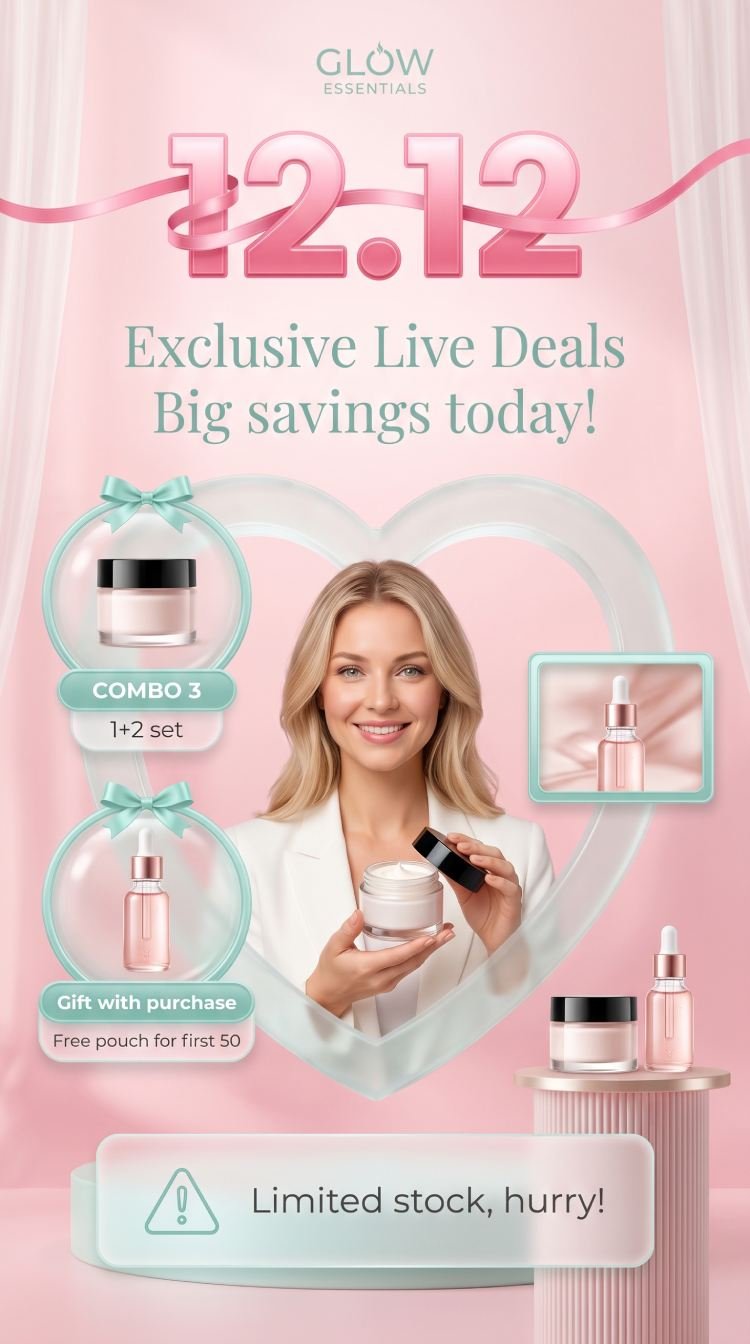
1 = Host model large in the center-bottom holding PRODUCT_1, a heart-shaped arch behind her, two offer bubbles on the left, a small framed "live screen" photo on the right, and a small product display shelf at the lower right.
2 = Host model on the right side holding PRODUCT_1, one large offer bubble on the left, and a small display shelf at the bottom left.
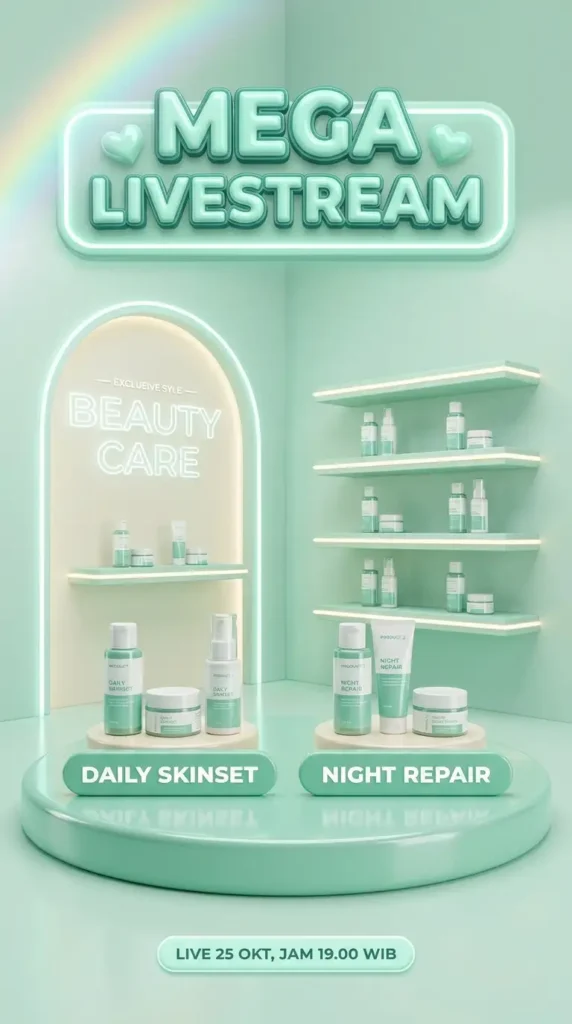
3 = No person: one big hero product in the center on a pedestal in front of the heart-shaped arch, two offer bubbles at the sides, and the notice box at the bottom.

DATA RULES:
1. If PRODUCT_URL is given, open and read the page first and extract only the product names written there.
2. Use ONLY the offers, labels, and names I provide. Do NOT invent discounts, gifts, prices, percentages, dates, or claims. If a field is "none", leave that element out completely.
3. Before creating the image, show me all text as a short list and wait for my "OK".

============ PART B: DESIGN STYLE (DO NOT CHANGE) ============

TASK: Design one soft, premium beauty-and-lifestyle promotion poster for a livestream or sale event, portrait ratio RATIO. One host or hero product, one dominant color, a few offer bubbles. Hierarchy: event title first, host or hero second, offers third, notice last.

STEP 0 (do this first): If no product photo is attached, stop and ask me to attach at least one. Do not invent products.

PRODUCT LOCK: Treat each attached product photo as locked reference. Keep exact shape, proportions, colors, cap, packaging, and every printed label or logo exactly as in the photo. Do not redraw, rewrite, or "fix" any label. Only lighting, angle, and placement may change. Products in offer bubbles and on the shelf must be copies of the attached products only. If there are fewer products than slots, leave slots empty or use plain blank unbranded packaging in a neutral tint.

MODEL RULES (layouts 1 and 2): if MODEL_PHOTO is attached, keep that person's face and likeness unchanged. If not attached, create a generic friendly adult host with natural skin texture, natural hands with five fingers, natural hair, relaxed pose, warm genuine smile, and no resemblance to any real celebrity or public figure. No plastic skin, no uncanny eyes.

COLOR SYSTEM (restraint is mandatory):
- Exactly 3 color families: BASE_COLOR (soft, light gradient with gentle glow), white or cream, and ONE ACCENT_COLOR used only on the slogan, offer bubble frames, bows, and notice icon. The products' own colors are the only others.
- Gradient: smooth light-to-mid tint of BASE_COLOR. No rainbow, no neon.

BACKGROUND: a soft studio set with sheer curtains at the sides, a large heart-shaped or arch-shaped backdrop, and a vertical-ribbed wall panel on one side. Smooth pedestal or podium at the bottom with fine vertical grooves. Clean 3D render feel, soft shadows, soft glow, no clutter.

TITLE: EVENT_TITLE in huge, bold, glossy numerals with a smooth gradient in the BASE_COLOR family, wrapped by a thin glossy 3D ribbon in the same hue, centered at the upper part. SLOGAN_LINE_1 and SLOGAN_LINE_2 below in an elegant serif font in ACCENT_COLOR, two lines slightly offset.

LOGO: attached LOGO small at the top center. Skip if "none". Do not create fake logos.

OFFER BUBBLES: round glass-like bubbles with a thin ACCENT_COLOR frame and a small bow. Each holds the product copies, with a rounded label plate in ACCENT_COLOR reading OFFER_1_LABEL, and a smaller plate for OFFER_1_NAME. The second bubble has a small plus sign. Skip any set to "none".

LIVE SCREEN FRAME (layout 1 only): one small rectangular frame with an ACCENT_COLOR border at the right showing a second person or a product, like a live stream screen. No text, no UI icons, no fake brand overlays.

NOTICE BOX: a frosted translucent rounded rectangle at the bottom with a simple outline warning triangle icon and NOTICE_TEXT in clean sans-serif. Skip if "none".

TYPOGRAPHY: no more than three styles: bold gradient numerals for EVENT_TITLE, elegant serif for the slogan, clean sans-serif for labels and notice. Strong contrast, readable at phone size.

COMPOSITION: balanced, generous space around the title, host or hero large and sharp, offers clearly separated, nothing important cropped by the frame edge, margins at least 5%. Follow RATIO.

TEXT RULES: use ONLY the text I provide or approve. Spell every word and number exactly as given. Do not add discounts, prices, floating words, fake brands, or pseudo-text. If text cannot be rendered correctly, make it smaller rather than invent letters.

QUALITY CHECK before finalizing: (1) every product and its label identical to its photo, (2) every word spelled exactly as provided, (3) title readable and glossy, (4) only the three color families plus the products' colors, (5) hands and faces look natural, (6) no invented offers or numbers, (7) bubbles, labels, and notice box aligned. If any check fails, fix it and regenerate.

AVOID: AI-slop look, changed packaging, garbled or invented label text, invented offers, fake brands, plastic skin, extra fingers, celebrity likeness, clutter, multiple color themes, rainbow overload, lens flares, fake HDR, watermark, repeated random objects, low contrast, cartoon look.
Salin prompt di atas.
Buka ChatGPT. Kalau punya foto produk atau foto model, lampirkan dulu.
Ganti bagian yang berwarna kuning dengan data usahamu, lalu kirim.
Pilih rasio 9:16 saat membuat gambar agar hasilnya sesuai.