
HAZDOHAZDO
  • Home
  • Android
  • Internet
  • Aplikasi
  • Capcut
  • Canva
  • Game
  • Windows
  • AI
    • Gambar Gratis
  • Affiliete
Search
© 2023- hazdo.web.id. All Rights Reserved.
Reading: Foto iPhone Kurang Jernih? Ubah Setting Ini Sekarang
Share
Notification Show More
Font ResizerAa
HAZDOHAZDO
Font ResizerAa
Search
  • Home
  • Android
  • Internet
  • Aplikasi
  • Capcut
  • Canva
  • Game
  • Windows
  • AI
    • Gambar Gratis
  • Affiliete
Follow US
© 2023 hazdo.web.id. All Rights Reserved.
Gadget

Foto iPhone Kurang Jernih? Ubah Setting Ini Sekarang

Last updated: March 11, 2025 11:24 pm
hazdo
Share
SHARE

hazdo.web.id – iPhone terkenal dengan kualitas kameranya yang luar biasa. Tapi, tahukah kamu bahwa ada beberapa pengaturan yang bisa bikin hasil fotomu makin jernih, detail, dan profesional?

Contents
  • 1. Aktifkan Format Foto ProRAW untuk Detail Maksimal
  • 2. Gunakan Resolusi Maksimal di Pengaturan Kamera

Buat kamu yang suka fotografi atau sekadar ingin foto lebih tajam untuk media sosial, setting kamera iPhone ini wajib dicoba!

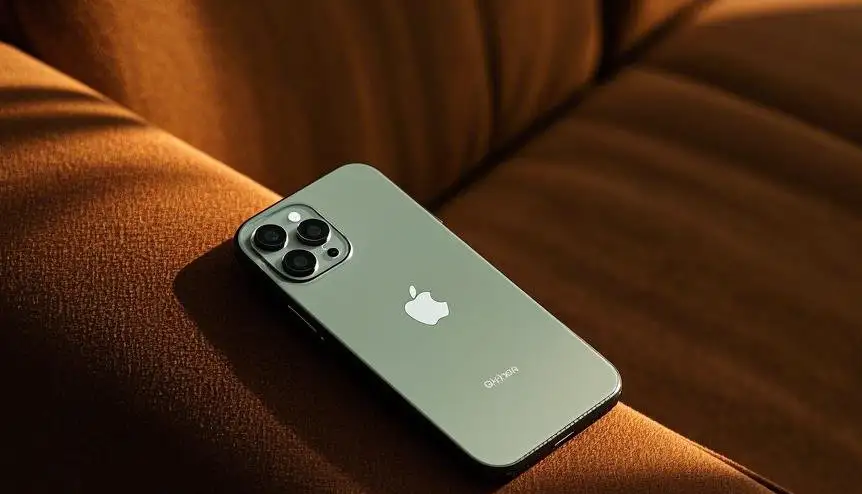
1. Aktifkan Format Foto ProRAW untuk Detail Maksimal

iPhone terbaru (seri Pro) punya fitur Apple ProRAW, yang memungkinkan hasil foto lebih detail dan tajam.

Cara mengaktifkan ProRAW:

  1. Buka Pengaturan (Settings).
  2. Pilih Kamera (Camera) → Format.
  3. Aktifkan Apple ProRAW & ProRes.
  4. Saat memotret, ketuk ikon RAW di aplikasi kamera untuk mengaktifkannya.

Catatan: File ProRAW lebih besar dibandingkan JPEG/HEIC, jadi pastikan penyimpananmu cukup!

Baru

itel City 200

4GB | 128GB

Rp 1.599.000
Beli Sekarang
Baru

TECNO Camon 50

8GB | 128GB

Rp 3.799.000
Beli Sekarang
Baru

VIVO Y05

4GB | 64GB

Rp 1.899.000
Beli Sekarang
Baru

Infinix XPAD 30E

4GB | 128GB

Rp 2.499.000
Beli Sekarang
Baru

Infinix Note 60 Pro 5G

8GB | 256GB

Rp 5.499.000
Beli Sekarang
Baru

Infinix Note 60

8GB | 256GB

Rp 4.099.000
Beli Sekarang

2. Gunakan Resolusi Maksimal di Pengaturan Kamera

Secara default, iPhone menggunakan format kompresi HEIF untuk menghemat ruang. Tapi jika ingin kualitas terbaik, gunakan resolusi tertinggi:

Caranya:

  1. Masuk ke Pengaturan > Kamera > Format.
  2. Pilih Paling Kompatibel (Most Compatible) agar foto tersimpan dalam format JPEG berkualitas tinggi.
123Next Page
TAGGED:iPhonesmartphone
Share
Previous Article Cara Membuat Daftar Pustaka Otomatis di Word, Cepat & Praktis
Next Article Bikin Instagram Story HD Tanpa Pecah Pakai iPhone, Begini Caranya

Produk Terlaris

Harga akan menyesuaikan skema promo

KY X55 Earphone

Rp69.800
Rp 130.000 Beli Sekarang

Pencil Stylus

Rp 82.000
Rp 90.000 Beli Sekarang

Powerbank Pro Series

Rp 29.000
Rp 150.000 Beli Sekarang

Keyboard Wireless

Rp 135.000
Rp 250.000 Beli Sekarang

Kabel Data 3 in 1

Rp 29.000
Rp 150.000 Beli Sekarang

Adaptor Charger

Rp 58.000
Rp 90.000 Beli Sekarang

Populer Tag

2025 adsense Affiliate AI Android antivirus Aplikasi Assistant Bank baterai bisnis BSI Canva Capcut chatgpt Chrome Clipper cms cpanel cuan DANA desain digital editing video edit video email Emulator excel facebook filmora Fitur font foto gambar game google Google Gemini guru Harga hero HP huawei iklan Infinix instagram IOS iPhone komputer konten Kreator Langganan Laptop Live lynk media sosial meta Mobile Legends Monetisasi motorola one piece online Oppo PayPal PC platform Poco ponsel powerpoint produk Prompt Ramadhan Redmi samsung SEO shopee smartphone Snapdragon sosial media sosmed Spotify tablet TikTok tips tools Video video editing video editor virus vivo web Website WhatsApp windows Windows 10 windows10 windows 11 Word wordpress Xiaomi youtube
HAZDOHAZDO
Follow US
© 2026 Hazdo.web.id. All Rights Reserved.
Welcome Back!

Sign in to your account

Username or Email Address
Password

Lost your password?